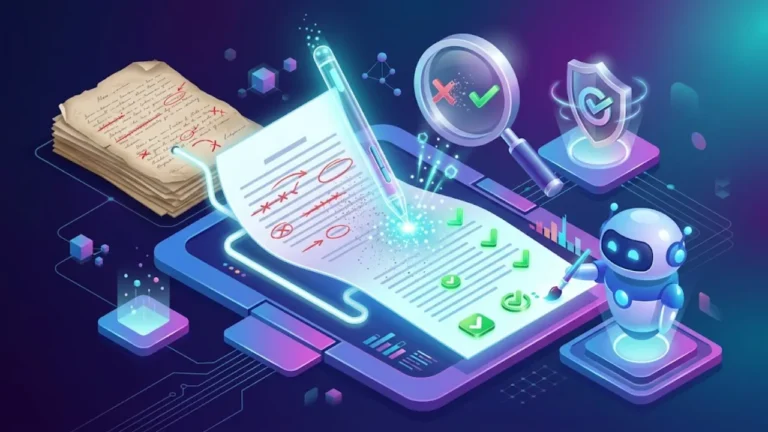
AI Humanizer Tools: Do They Work, and Should You Use Them?
Quick answer: AI humanizer tools rewrite AI-generated text so it reads more naturally. Some, like Grammarly’s humanizer, focus on clarity and tone; many others are marketed mainly to get text past AI detectors. As readability helpers they can be useful, but they often introduce errors, change meaning, and do not reliably fool detectors. Using them to hide AI use where it is not allowed is still misconduct. For better results, edit AI drafts yourself: add your own ideas, examples and voice.
Key takeaways
- “AI humanizer” covers two different kinds of tools: readability editors and detector-evasion rewriters.
- Rewriters can improve rhythm and remove stock phrases, but they cannot add real experience, facts or insight.
- Aggressive humanizers often damage accuracy, grammar and meaning.
- Detector results after “humanizing” are inconsistent, and detectors keep updating.
- In schools and many workplaces, disguising prohibited AI use is treated as dishonesty whatever tool is used.
- The most effective “humanizer” is a person who edits with purpose.
What is an AI humanizer?
An AI humanizer is a tool that takes text, usually written by ChatGPT, Claude, Gemini or another model, and rewrites it so it sounds less robotic. Typical changes include varying sentence length, replacing overused phrases, adjusting tone, simplifying vocabulary and adding contractions.
The tools fall into two groups:
| Type | Stated purpose | Examples of approach |
|---|---|---|
| Readability and tone editors | Make writing clearer, more natural and on-brand | Grammarly’s humanizer and rewrite features, Wordtune, QuillBot’s tone modes, the rewrite options in most AI writing assistants |
| Detector-evasion rewriters | Change text so AI detectors score it as human | Tools that advertise “undetectable” output and show detector scores before and after |
The first group is a normal part of editing. The second group raises accuracy and ethics problems, which this guide covers honestly.
How AI humanizers work
Most humanizers are themselves language models or paraphrasing systems. They rewrite the input using instructions such as “vary sentence length, use simpler words, avoid common AI phrases”. Evasion-focused tools may also deliberately add unusual word choices, informal phrasing or small irregularities, because detectors associate very predictable text with AI.
That last point explains a lot of the quality problems. Making text less predictable is not the same as making it better. Random synonyms, odd phrasing and inserted errors can make writing harder to read and less accurate.
Do AI humanizers work?
It depends what “work” means.
For readability: sometimes
A good rewriter can smooth stiff AI drafts, remove repeated transitions like “Moreover” and “In conclusion”, shorten long sentences and adjust tone. For quick emails, social posts or product blurbs, that can be helpful as a first pass.
For quality: not on their own
What makes writing feel human is not mainly sentence rhythm. It is substance: a real point of view, specific examples, personal experience, accurate details and a clear purpose. No rewriter can add knowledge you did not provide. A humanized version of a generic draft is still generic.
For fooling detectors: inconsistent
Humanizer companies often show screenshots of text passing detectors, but independent tests commonly find mixed results: some outputs pass some detectors, others are still flagged, and results change as detectors update. Because AI detectors are themselves unreliable (see do AI detectors work?), a “pass” does not mean much either way. Relying on a humanizer to avoid consequences is a gamble with poor odds, and it does nothing to make the work legitimate.
The risks of using AI humanizers
- Changed meaning: paraphrasing can soften, exaggerate or reverse claims. In technical, legal, medical or financial writing, that can be dangerous.
- Factual errors: rewriting can alter numbers, names, dates and quotes, and it keeps any errors that were already in the AI draft.
- Awkward language: strange synonyms and forced informality (“utilize” becoming “make use of it, you know”) make writing worse.
- Broken citations: reworded quotes stop being accurate quotations, and citations may no longer match the source.
- Privacy: pasting client documents, student work or confidential text into free online tools may share it with the vendor. Read the privacy terms.
- Academic and professional consequences: schools and employers generally judge the underlying behavior. Hiding AI use that was not allowed is dishonest whether or not a detector notices.
- SEO risk: mass-producing “humanized” AI pages does not avoid Google’s spam policies; Google evaluates quality and scale, not whether a detector flags text. See is AI content bad for SEO?
When a humanizer or rewriter is reasonable to use
- Polishing your own AI-assisted marketing copy, emails or social posts where AI use is allowed.
- Adjusting tone, for example making a formal draft friendlier for a newsletter.
- Simplifying complex text for a general audience, followed by a fact check.
- Getting alternative phrasings for a sentence you are stuck on.
- Helping non-native writers express their own ideas more fluently, where the rules of the setting allow editing tools.
In each case the tool is an editing aid. You remain responsible for accuracy and honesty, and you follow the disclosure rules of the setting.
A better approach: edit AI drafts yourself
Human editing beats automated humanizing because it adds what readers actually value. Here is a practical process:
- Start with your own thinking: before prompting, write down your main point, your audience and two or three things only you know about the topic.
- Use AI for structure, not substance: ask for an outline or a rough draft built around your notes.
- Cut the filler: delete generic openings, empty summaries and phrases like “in today’s fast-paced world”.
- Add specifics: real examples, numbers with sources, names, places, screenshots and lessons from your experience.
- Take a position: say what you recommend and why, including trade-offs.
- Read it aloud: rewrite anything you would not say to a colleague.
- Fact-check everything: AI drafts can invent sources, quotes and statistics.
- Finish in your voice: your usual words, sentence length and humor.
Our full guide on how to make AI writing sound human goes deeper, and training ChatGPT on your writing style helps drafts start closer to your voice.
Prompts that produce more natural drafts
Write this as a knowledgeable friend explaining it over coffee, not as a textbook.
Use short and medium sentences, contractions and plain words.
Avoid these phrases: "delve", "in today's world", "it's important to note",
"moreover", "in conclusion", "unlock", "game-changer".
Use my notes below for the examples and opinions; do not invent facts.
If something is uncertain, say so.
Notes: [your notes]
A prompt like this does much of what a humanizer does, but with your own material, so the result has substance to go with its style. For more techniques, see how to write AI prompts.
Common AI writing patterns to fix by hand
| Pattern | Example | Better approach |
|---|---|---|
| Generic opener | “In today’s digital landscape…” | Start with the answer or a specific situation |
| Hedging everywhere | “It can potentially help in some cases” | Say when it helps and when it does not |
| Rule-of-three lists | “fast, efficient and reliable” | Keep the one quality that matters, with evidence |
| Overused transitions | “Moreover”, “Furthermore”, “Additionally” | Use simple links or none at all |
| Empty conclusions | “In conclusion, X is important” | End with a next step or a clear recommendation |
| Vague examples | “For example, a business might…” | Use a real, named, specific example |
| Uniform paragraphs | Every paragraph four sentences long | Vary length to match the importance of each point |
Before and after: editing beats humanizing
Raw AI draft:
In today’s fast-paced digital world, email marketing remains a powerful tool for businesses of all sizes. Moreover, it offers numerous benefits, including increased engagement, improved customer relationships and higher conversion rates. It’s important to note that success requires a strategic approach.
Typical humanizer output:
In the current quick-moving online world, email marketing is still a strong tool for companies big and small. Plus, it gives lots of perks, like more engagement, better customer bonds and bigger conversion numbers. Keep in mind that doing well needs a smart plan.
Human edit with real substance:
Our bakery’s weekly email brings in more repeat orders than Instagram does, and it takes about an hour to write. The trick is simple: one offer, one photo and one clear button. When we tried sending three offers at once, clicks dropped.
The humanizer changed the words but not the emptiness. The edited version works because it contains something real: a specific situation, a result and a lesson. That is what readers, teachers, clients and search engines value.
Humanizers vs paraphrasers vs grammar checkers
| Tool type | What it does | Main risk |
|---|---|---|
| Grammar checker | Fixes spelling, grammar and punctuation | Low; heavy rewrite suggestions can flatten your style |
| Style and tone editor | Suggests clearer or differently toned sentences | Moderate; accept changes selectively |
| Paraphraser | Rewrites sentences in different words | Meaning drift; misuse for disguising copied text is plagiarism |
| Detector-evasion humanizer | Rewrites to change detector scores | Errors, awkward phrasing and misconduct if used to hide prohibited AI use |
How to evaluate a rewriting tool
If you want a tool to help polish AI-assisted text in settings where that is allowed, test it on your own material first:
- Meaning: compare the output line by line. Did any claim, number or nuance change?
- Readability: read it aloud. Is it clearer, or just different?
- Voice: does it sound like you or your brand?
- Control: can you choose tone, level of change and which sentences to rewrite?
- Privacy: does the vendor store or train on your text? Can you opt out?
- Honest marketing: be wary of tools promising “100% undetectable” results or encouraging academic use against the rules.
Guidance by audience
Students
Check your course’s AI policy for each assignment. If AI help is allowed, use it the way it permits, keep your drafts and disclose it as required. If it is not allowed, a humanizer does not make it acceptable, and version history, oral questions and in-class writing often reveal the difference anyway. If you are worried about being falsely flagged, see our guide to AI detectors and false positives, which explains how to document your writing process.
Bloggers and content creators
Readers and search engines care about usefulness and trust, not detector scores. Spend your time on original examples, testing, photos and clear opinions. Use AI to speed up outlines and first drafts, then edit deeply. See how to write a blog post with AI.
Businesses and marketers
Set a simple internal policy: where AI can be used, who reviews output, how facts are checked and when to disclose. Brand voice guides and example libraries do more for consistency than humanizer tools.
Freelance writers
Agree on AI use with each client up front. Many clients accept AI-assisted research or outlines but expect original writing. Transparency protects the relationship far better than trying to hide tool use.
Non-native English writers
Editing tools can help you express your own ideas more fluently. Keep your drafts and notes, since formal, carefully edited writing can sometimes be wrongly flagged by detectors, and your process record is the best protection.
How to disclose AI use simply
Disclosure does not need to be complicated. Clear, short statements work well:
- Student assignment: “I used ChatGPT to brainstorm topic ideas and check grammar. The research, argument and writing are my own.”
- Blog post: “This article was drafted with AI assistance and reviewed, fact-checked and edited by our team.”
- Client work: “AI tools were used for the initial outline and research summaries; all copy was written and edited by me.”
- Images: “Illustration created with an AI image generator.”
Follow any specific format your school, publication or client requires. Many academic style guides now include rules for citing AI tools.
Why “sounding human” is the wrong goal
The humanizer market frames the problem as “AI text sounds robotic, so make it sound human.” But the real problem with most AI drafts is not their sound. It is that they say things everyone else already says, without evidence, experience or a clear point. Readers notice that, even if they cannot name it.
Aim instead for writing that is useful, specific and honest. If the content helps the reader solve a problem, contains details only you could provide, and is transparent about how it was made, it will read as human because a human’s judgment is visible in it.
Checklist: turning an AI draft into your own work
- My main point is clear in the first two or three sentences
- Every section includes at least one specific example, number or experience
- Generic openers, filler transitions and empty conclusions are removed
- All facts, quotes and sources are checked against the original
- The tone matches my usual voice or my brand guide
- I have added my own opinion or recommendation where appropriate
- The text follows the AI rules of this school, client or publication
- AI use is disclosed where required
- Drafts and notes are saved
A 20-minute editing routine for AI drafts
You do not need hours to turn a draft into something worth reading. For a 1,000-word piece, this routine works well:
| Minutes | Task |
|---|---|
| 0–3 | Read the whole draft once without editing. Note what is missing or wrong. |
| 3–7 | Rewrite the opening so it answers the reader’s question or states your point immediately. |
| 7–12 | Add two or three specifics: an example from your work, a number with a source, a screenshot or a short story. |
| 12–15 | Cut filler: generic sentences, repeated points and empty transitions. |
| 15–18 | Check facts, links and names. |
| 18–20 | Read aloud and fix anything that does not sound like you. |
This routine does more for quality than any automated humanizer, and it gets faster with practice.
Build a personal style guide
If you often use AI for first drafts, a short style guide helps every draft start closer to your voice. Include:
- Your audience: who you write for and what they already know.
- Tone: for example “friendly, direct, a little dry humor, no hype”.
- Words you use and avoid: your common phrases, and banned words such as “delve” or “revolutionary”.
- Formatting habits: sentence length, use of lists, how you format headings and bold lead-ins.
- Two or three sample paragraphs: real examples of your writing for the model to imitate.
Paste it into your AI tool’s custom instructions or project settings, or use the method in training ChatGPT on your writing style. For more ideas, see AI prompts for bloggers.
What to do instead of “humanizing” content at scale
Some site owners look at humanizers as a way to publish large amounts of AI content quickly. That approach tends to fail for three reasons: the content lacks anything original, readers leave quickly, and search engines are built to reduce the visibility of scaled, low-value pages. A more durable plan:
- Publish fewer, better pages built around real questions and real expertise.
- Use AI to speed up research, outlines and first drafts, then edit properly.
- Add original elements to every page: examples, data, tools, photos or clear recommendations.
- Update your best pages regularly instead of endlessly adding new thin ones; see updating old posts with AI.
Signs a piece of writing needs more than a rewrite
Sometimes a draft cannot be saved by changing words, and needs rethinking. Watch for these signs:
- You cannot summarize its main point in one sentence: the draft lacks a clear argument or purpose.
- Every section could appear in any article on the topic: nothing is specific to your audience or experience.
- It answers a different question from the one your reader asked: the intent is wrong.
- It contains claims you cannot verify: the draft may be built on invented facts.
- You would be uncomfortable putting your name on it: trust that instinct.
In these cases, go back to your notes, decide what you actually want to say, and draft again with a clearer brief. A humanizer would only make a weak draft sound different; a better brief makes it genuinely better.
The bottom line
AI humanizers can tidy wording, but they cannot supply the things that make writing valuable: knowledge, experience, judgment and honesty. Use rewriting tools lightly and only where AI assistance is allowed, keep your process transparent, and put your editing time into substance. That is what makes writing sound human, because it is human.
If you are unsure whether a tool is appropriate in your situation, ask the person who sets the rules, whether that is a teacher, editor, manager or client. A two-line question up front avoids far bigger problems later.
Frequently asked questions
What is an AI humanizer?
An AI humanizer is a tool that rewrites AI-generated text to sound more natural. Some focus on clarity and tone; others are marketed mainly to change AI detector scores.
Do AI humanizers really work?
They can improve readability somewhat, but they cannot add real knowledge or experience, and they often introduce errors or awkward phrasing. Results against AI detectors are inconsistent and change as detectors update.
Is using an AI humanizer cheating?
It depends on the rules and your purpose. Polishing allowed AI-assisted work is usually fine. Using a humanizer to hide AI use where it is prohibited is dishonest, and schools and employers generally treat it as misconduct.
Can Turnitin detect humanized AI text?
Sometimes. Turnitin and other detectors update their models, and results vary. More importantly, instructors also use drafts, version history and conversations to assess authorship, so detector scores are not the only check.
Is Grammarly’s humanizer the same as detector-evasion tools?
Grammarly positions its humanizer as a clarity and tone tool rather than a way to bypass detectors. It is closer to a style editor. As with any rewriter, review changes carefully.
How can I make AI writing sound more human without a humanizer?
Start with your own notes, use AI for structure, cut generic phrases, add specific examples and experience, take a clear position, read it aloud and fact-check everything. Our guide on making AI writing sound human covers this step by step.
Does Google penalize humanized AI content?
Google does not rank content based on AI detector scores. It evaluates helpfulness and quality, and it treats mass-produced low-value content as spam regardless of how it was produced or rewritten.
Are free AI humanizers safe to use?
Be careful with sensitive text. Free tools may store or use what you paste. Avoid entering confidential, client or personal information, and check the privacy policy first.